smart library organizer · desktop + web · kuum-oss
tired?
of library chaos
[ click to organize ]
someone.
// your library,
organized.
Desktop GUI Web UI Self-Healing Tika 2.9.2 Javalin 6.1.3 FlatLaf 3.4.1 Java 21 Docker SonarCloud ✓
Java 76.8% FreeMarker 23.1% 63 commits v1.0-SNAPSHOT
01 desktop GUI · Java Swing + FlatLaf
SWING · FLATLAF 3.4.1 · DRAG & DROP
Main Interface
Full-featured desktop client on Java Swing with FlatLaf 3.4.1 + IntelliJ themes. At launch you pick the mode: GUI app or web server — same fat JAR, both modes available.
  • Mode picker at startup: GUI vs Web server
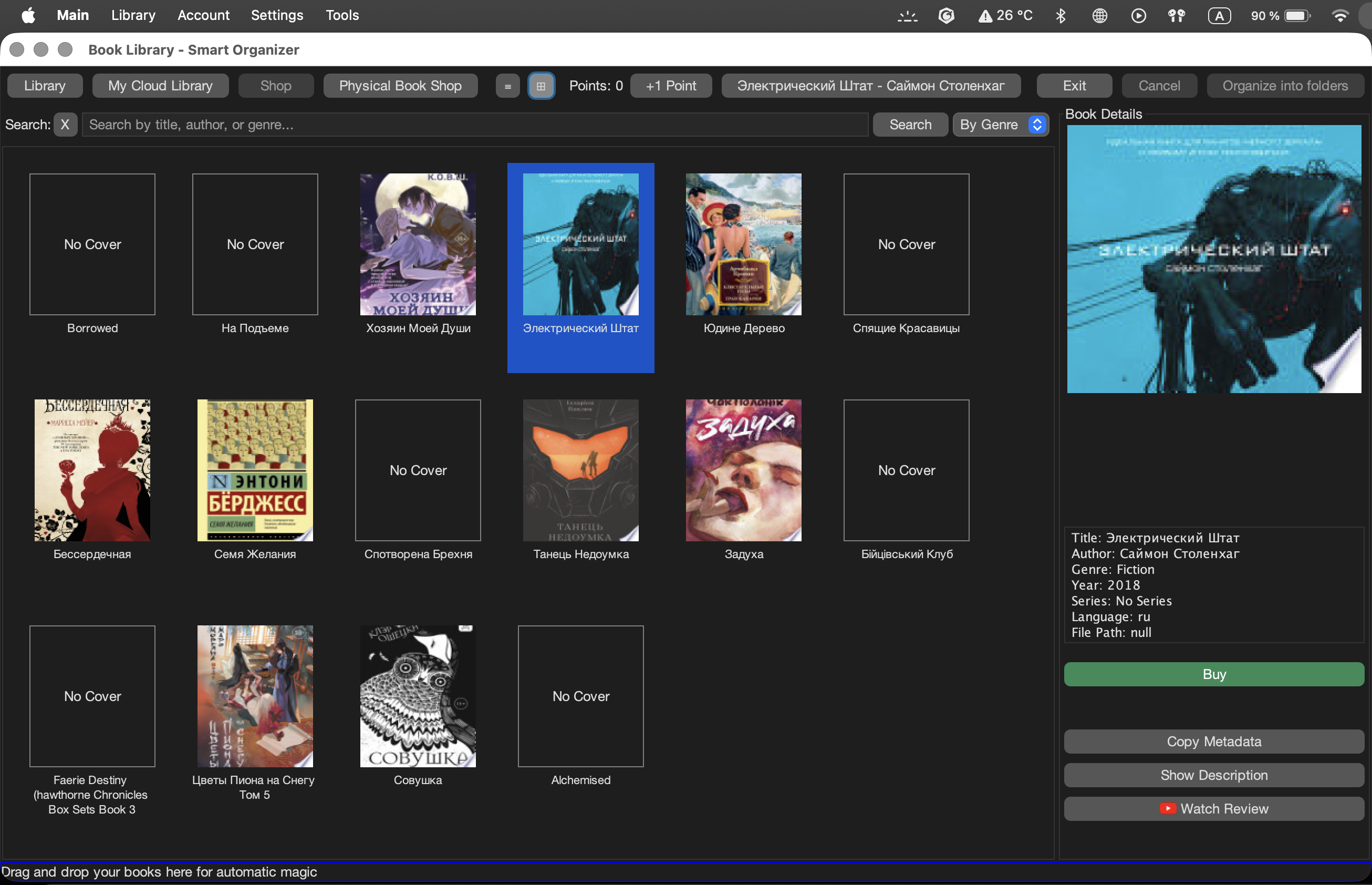
  • Drag & drop folder — instant recursive scan
  • Sortable / filterable table: title, author, genre, year
  • Cover preview from MEDIUMBLOB, pulled via Tika or Google Books
  • Filter by: All / Favorites / Reading / Finished
  • FlatLaf IntelliJ themes — dark / light at runtime
  • Formats: EPUB, PDF, FB2, MOBI, DOCX
someone — desktop GUI · book library SWING
someone — desktop GUI book library with cover grid
02 metadata · Apache Tika + Google Books API
someone — book detail · auto-enriched metadata TIKA 2.9
someone — book detail page with auto-enriched metadata and description
TIKA 2.9.2 · GOOGLE BOOKS API · JACKSON 2.17
Automatic Metadata Extraction
Drop files in — the pipeline runs automatically. Apache Tika 2.9.2 (core + parsers-standard) pulls embedded metadata; Jackson 2.17 deserializes the Google Books JSON response to fill the gaps.
  • Title, author, language, pages — extracted from binary
  • Genre, series, cover image — from Google Books API
  • Auto-organize path: Language / Genre / Series / Title
  • Cover stored as MEDIUMBLOB, file as LONGBLOB in MySQL
  • Commons Compress 1.26.1 for archive unpacking
  • Batch-processes thousands of files in one drop
03 web reader · Javalin + FreeMarker
JAVALIN 6.1.3 · FREEMARKER 2.3.32 · CAFFEINE 3.1.8
Browser Reader
The web interface runs on Javalin 6.1.3 — same fat JAR, different startup mode. Caffeine 3.1.8 caches frequently accessed books in memory. Reading state is persisted per user.
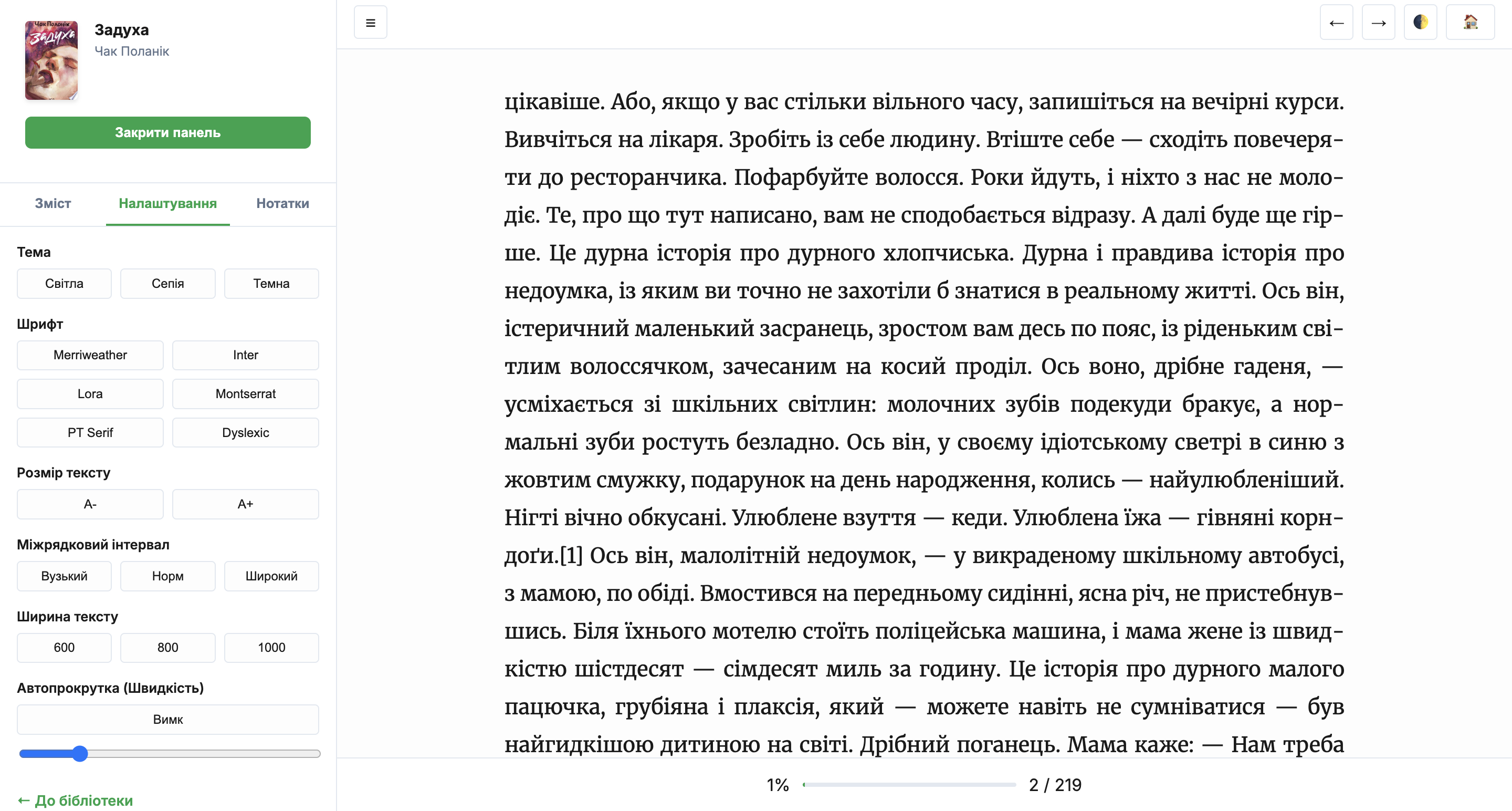
  • Route: GET /reader/{id} — EPUB reader page
  • POST /api/reading/progress — currentPage, totalPages, speed
  • POST /api/reading/notes — per-book notes & highlights
  • POST /api/reading/review — book reviews
  • reading_progress table: speed, notes, highlights, settings JSON
  • BCrypt passwords via Spring Security Crypto 6.2.2
someone — web reader · EPUB in browser JAVALIN
someone — web reader interface
04 book store · points system
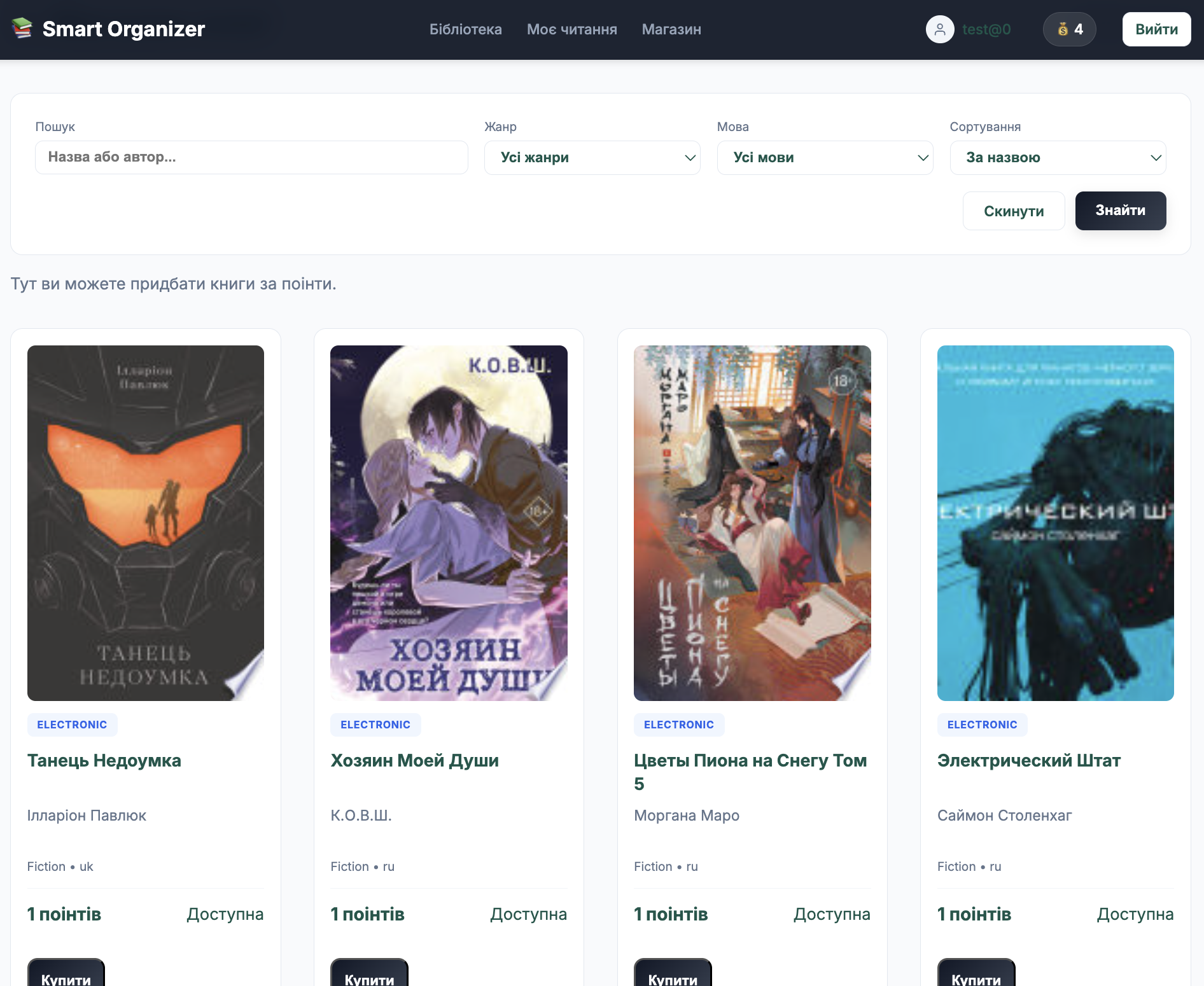
someone — web library · personal shelf STORE
someone — web library with personal shelf and filters
STORE · POINTS · PHYSICAL ORDERS · ADMIN
Store, Points & Orders
Digital + physical book orders, seat booking, a user points economy, and a full admin dashboard — all on the same Javalin server.
  • Digital: POST /shop/buy — deducts points, grants access
  • Physical: POST /shop/buy/physical — seat, hour, duration booking
  • Catalogue: filter by genre, language, sort, page
  • Admin: /admin/user/{id} — update points, delete
  • Admin: content moderation at /admin/reviews
  • orders table: user_id, book_id, seat_number, start/end time, status
05 API routes · Javalin 6.1.3
someone · web server routes · port 8080 JAVALIN 6.1.3
method route description
GET / Personal library — filter: all / favorite / read / unread
GET /shop Public catalogue — q, genre, language, sort, page
GET /book/{id} Book detail page with metadata, description, reviews
GET /book/{id}/cover Cover image — served from MEDIUMBLOB
GET /book/{id}/download Download file — requires ownership check
GET /reader/{id} In-browser EPUB reader with saved position
POST /api/reading/progress Save page, totalPages, reading speed
POST /shop/buy Purchase digital book — deducts points balance
POST /shop/buy/physical Reserve physical copy — seatNumber, hour, duration
GET /admin Admin dashboard — stats, users, orders, notifications
POST /admin/user/update-points Adjust user balance — userId, points
06 self-healing · automatic recovery
MECHANISM 01
Dynamic Port Binding
If port 8080 is taken, app.start(0) lets the OS assign the next free port automatically. Zero config.
:0
MECHANISM 02
DB Retry Loop
DatabaseInitializer makes up to 5 attempts to connect to MySQL with a 3 second delay between each — Docker spin-up safe.
×5
MECHANISM 03
Safe DB Mapping
JdbcBookRepository gracefully handles missing columns — live schema migrations won't crash running instances.
DB
07 quick start · Docker
terminal · someone setup
# clone & start with Docker (recommended)
$ git clone https://github.com/kuum-oss/someone_V2
$ cd someone_V2
$ docker-compose up --build
 
# or build the fat JAR manually
$ mvn clean package -DskipTests
$ java -jar target/someone-1.0-SNAPSHOT.jar
 
# pick mode at runtime prompt:
  → 1 GUI application (Swing)
  → 2 Web server (Javalin) · http://localhost:8080
 
✓ ready. open http://localhost:8080
08 tech stack · exact versions
runtime
Java 21 Javalin 6.1.3 FreeMarker 2.3.32 Swing + FlatLaf 3.4.1 FlatLaf IntelliJ Themes Caffeine 3.1.8 Jackson 2.17.0 Maven 3 · Shade Plugin 3.5.2
data
MySQL Connector 8.3.0 Commons DBCP2 2.12.0 Spring Security Crypto 6.2.2 Apache Tika 2.9.2 Commons Compress 1.26.1 Google Books API Log4j2 · SLF4J 2.0.12
testing & infra
JUnit Jupiter 5.10.2 Mockito 5.11.0 Testcontainers 1.19.7 H2 2.2.224 JaCoCo 0.8.11 SonarCloud GitHub Actions Docker Compose ArchUnit